- ▸ No native app and no official APK exists; Chicken Subway is browser-only HTML5.
- ▸ The game is 8.3 MB and mobile-first, so a modern phone browser runs it fine.
- ▸ Any "Chicken Subway APK" download is not from 100HP; sideloading it is a security risk.
- ▸ No app means nothing to update and no stale version, but also no offline play.
- ▸ You can add a home-screen shortcut yourself with your browser's "Add to Home Screen".
Reviewed game
 Chicken Subway (100HP Gaming)
Play the game
18+ | T&C apply | Play responsibly
There's no Chicken Subway app and no official APK - it's an HTML5 game that runs in any mobile browser, so you can play in seconds with nothing to install. You get the same 3-lane path choice, the same $10,000 per-round cap and the same provably-fair engine as on desktop. Any 'Chicken Subway APK' you find did not come from 100HP Gaming.
Is there a Chicken Subway app or APK?
There is no Chicken Subway app and no official APK. Chicken Subway is an 8.3 MB HTML5 game that runs in any browser on desktop or phone, so there's nothing to install and nothing to sideload. 100HP Gaming has not published a native app, and any file calling itself a "Chicken Subway APK" is not from the developer. You open the game in a browser tab, and that's the whole story.
If you found this page hunting for a download link, you can stop looking. Below we cover how to play smoothly on mobile in-browser, why the APK results are a risk worth avoiding, and the honest trade-offs of a game that has no app at all.
Key takeaways
How to play on mobile in your browser
Playing Chicken Subway on a phone takes three steps. Open your mobile browser, go to an operator that carries 100HP Gaming titles, and load the game or the free demo. The 8.3 MB HTML5 build loads in a tab, scales to your screen, and responds to taps the same way a native app would.
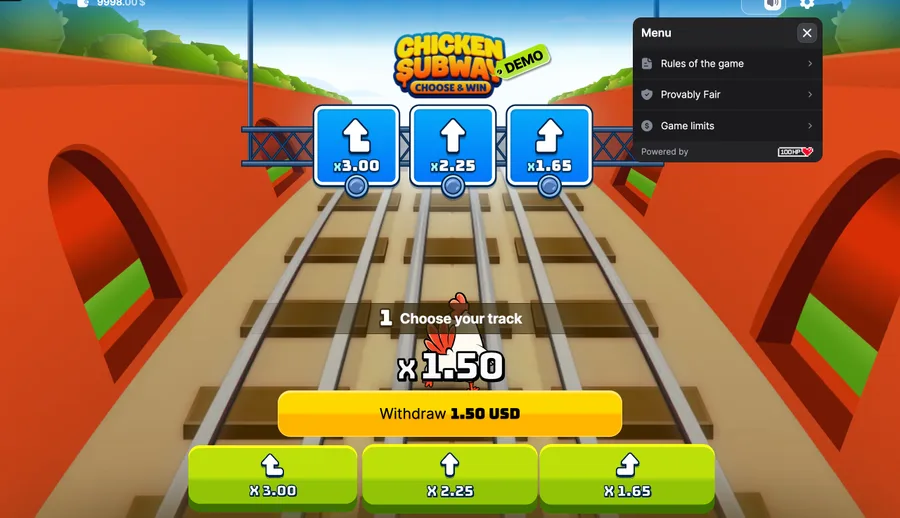
The controls suit a phone. You set your bet, press RUN, then tap one of the three lanes each step and hit Withdraw to cash out. No keyboard, no precision aiming, just taps. On our demo runs the interface stayed responsive on a mid-range handset, though a weak connection can stutter the first load while the game caches.
Want to try it before you commit money? Load the Chicken Subway demo in your mobile browser first. It runs on virtual credits with no sign-up, and it's the safest way to learn the 5-second lane timer. If you're new to the mechanics, our guide on how Chicken Subway works walks through the round flow.
The "Chicken Subway APK" trap
Search for a Chicken Subway APK and you'll find download pages promising the game as an installable file. Skip them. 100HP Gaming distributes Chicken Subway as a browser game through operators, not as a standalone Android package, so nothing you download from those pages is the official article.
Sideloading an APK from an unofficial source is a real security risk. You're granting install permissions to a file no store has checked, and a fake gambling APK is a classic wrapper for malware, credential theft or a cloned game that pockets your deposit. There's no upside here, because the genuine game is one browser tap away and free to demo.
Two rules that keep you safe
- Never install a "Chicken Subway APK" from a download site; it isn't from 100HP.
- Play only in your browser, at an operator that lists 100HP Gaming as the provider.
What no app gets you
A browser-only game has real upsides. There's nothing to install, so you skip the permissions and the storage hit. You always play the current version, because there's no app to fall out of date. And you dodge the whole APK scam surface, since the only legitimate way to play is in a tab. For an 8.3 MB game, a browser is plenty.
What no app costs you
The trade-offs are honest. You can't play offline; a live connection is required every round. You don't get a home-screen icon by default, though you can add one yourself using your browser's "Add to Home Screen" to create a PWA-style shortcut. And a very old phone or a flaky network can make the first load slower than a pre-installed app would be.
Honest cons of the no-app setup
Browser-only isn't a pure win. The lack of offline play means a dropped signal mid-round is a genuine annoyance, and there's no notification layer or saved home-screen presence unless you set up the shortcut yourself. Some players simply prefer a dedicated app they can tap once.
Our take: for a light 8.3 MB crash game, none of that outweighs the security win of never sideloading anything. If you want a home-screen tap, add the shortcut and you've closed most of the gap. What you should not do is chase an APK to get it, because no APK here is safe, and remember that this game carries real financial risk, so set limits before you play. When you're ready, keep it in the browser: try the Chicken Subway demo or read the full Chicken Subway review.